What's inside
As an Amazon Associate I earn from qualifying purchases. This post may contain affiliate links at no extra cost to you.
The best CNC machine for cutting boards depends on your largest blank and how you’ll hold it: choose a rigid, roughly 24-by-24-inch-or-larger machine for regular hardwood work, or a smaller Shapeoko-class router for compact boards and occasional production. For inlays and repeatable batches, prioritize a flat spoilboard, reliable workholding, and a tool-length or probing routine—not just the advertised cutting area.
A CNC can flatten a board, cut handles, engrave designs, and make inlay pockets with consistent placement. But cutting-board work is demanding in specific ways: hardwood is dense, glue-ups can be heavy, and a board may be wider than the machine’s usable travel. The picks below reflect those trade-offs. Product specifications can vary by model year and configuration, so confirm the current machine’s actual working area and spindle options before buying.
As an Amazon Associate we earn from qualifying purchases at no extra cost to you.


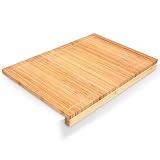

Our Top Picks
 Premium Bamboo Cutting Board with Juice Groove22"L x 15"W22 x 15 x 2 inches5.2 poundsCheck on Amazon
 Yoshihiro Hi Soft High Performance Professional Grade CuttingMedium17.7 x 9.8 x 0.8 Inches4.85 poundsCheck on Amazon


Quick comparison: CNC machines for cutting boards
| Machine | Approx. working area | Best fit | Key consideration |
|---|---|---|---|
| Shapeoko 5 Pro | About 33 × 33 in. or 33 × 49 in., depending on version | Serious hobbyists making medium or large boards | Router-based; allow room for clamps and dust collection |
| Onefinity Elite Woodworker | About 32 × 32 in. | Owners who value a sturdy gantry and flexible setup | Provide your own table, spoilboard, and workholding plan |
| Carbide 3D Shapeoko 4 | About 17 × 17 in. or 17 × 33 in., by model | Beginners and smaller shops making compact boards | Check usable travel against the board’s full dimensions |
| Inventables X-Carve Pro | About 23.5 × 23.5 in. or 23.5 × 47.5 in. | Small businesses and repeatable sign or board work | Budget for a dedicated table and effective dust control |
These are approximate nominal work areas, not guaranteed cut dimensions. Clamps, the dust shoe, bit length, and machine limits reduce practical clearance. For a board that is 18 inches wide, a machine with 17 inches of travel is not a fit, even if you can rotate the design in software.
Best picks by cutting-board situation
Best for larger boards and frequent use: Shapeoko 5 Pro
The Shapeoko 5 Pro’s larger-format options make it easier to accommodate wide serving boards, long edge profiles, and jigs that stay mounted between jobs. Its router spindle accepts common woodworking collets and bits, giving you broad cutter choice. That matters when switching between a surfacing bit for the spoilboard, a compression or downcut bit for clean edges, and a small end mill for detail work.
Choose the 33-by-49-inch version if you expect to make long boards or several pieces in a fixture. The extra area is useful only if your shop can support the machine’s footprint and you can keep the bed flat. A larger machine also means more spoilboard to surface and more area to keep clear of chips.
Best for a custom-built setup: Onefinity Elite Woodworker
The Onefinity Elite Woodworker suits buyers who want a substantial machine but prefer to build their own table and vacuum or clamp system. Its approximately 32-by-32-inch work area covers many family-size boards while leaving room to position hold-downs. That flexibility can be an advantage for irregular blanks, but it puts more responsibility on the owner: a twisted table or poorly aligned spoilboard can undermine accuracy regardless of the machine’s motion system.
Plan the table, wasteboard, and dust shoe before assembly. If you want a ready-to-run package with an integrated workholding solution, compare complete configurations rather than machine-only prices.
Best for tight spaces and first projects: Shapeoko 4
The Shapeoko 4 is a sensible entry point for small boards, coasters, handles, and decorative engraving. Its smaller footprint can be easier to house and less costly to equip. The limitation is capacity: verify that your blank fits with clearance for clamps and the dust shoe. A small CNC cutting board project can still be demanding if the board is thick, heavy, or has a broad end-grain face.
For a first machine, spend time learning how to tram the router, surface the spoilboard, and set consistent work offsets. Those habits improve results more than moving up a size without improving setup.
Best for repeatable small-shop production: X-Carve Pro
The X-Carve Pro’s available larger format is appealing when you want to fixture multiple boards or run a sequence of engraving and profiling operations. Its work area can accommodate many common designs, but batch work still depends on a repeatable locating system. Add a fence, corner stops, or a pinned fixture so each blank lands in the same position; otherwise, every board requires extra measuring and re-zeroing.
What matters more than the headline work area
- Board dimensions and thickness: Measure the finished blank, not just the design. Check Z clearance with the bit, collet, and dust shoe installed. A thick hardwood board may fit under the gantry but leave too little room for a short cutter or safe clamping.
- Workholding: Use a surfaced spoilboard with threaded inserts, low-profile clamps, or a purpose-built fixture. Double-sided tape can help with thin, flat pieces, but it is a poor substitute for secure mechanical holding on a heavy board or during deep cuts.
- Cutter compatibility: Confirm the router or spindle accepts standard shank sizes you can source locally—commonly 1/4 inch, with some setups supporting 1/8-inch or 1/2-inch tooling via the appropriate collet. Use sharp, carbide woodworking cutters suited to hardwood and the operation.
- Repeatability: A rigid frame helps, but consistency also comes from a flat spoilboard, a stable tool-length reference, and saved work coordinates. For an inlay, the pocket and plug need matching geometry and reliable registration.
- Dust collection: Hardwood dust is fine and accumulates quickly. A dust shoe connected to a suitable extractor is valuable, but it cannot catch every chip during surfacing. Keep the rails, lead screws, and electronics area clean according to the manufacturer’s guidance.
Hardwood, thickness, and an inlay example
Hard maple, walnut, and cherry are common cutting-board materials, but species and grain direction affect cutting behavior. End-grain boards are especially thick and heavy; do not assume the machine’s advertised Z travel means it can safely machine the entire face in one setup. Leave enough stock for flattening, secure the board against lateral force, and use conservative passes rather than forcing a large cutter through dense wood.
For a simple CNC inlay cutting board, suppose the design has a 3-by-3-inch inlay pocket cut 0.20 inch deep. A 1/8-inch end mill is suitable for fine details but removes material slowly; a 1/4-inch cutter clears open areas faster, while inside corners will remain rounded to the cutter’s radius. A practical workflow is to rough the pocket with a larger bit, finish the walls with the smaller bit, and cut the plug from matching stock using the same origin and tool settings. Test the fit in scrap first: even a small change in cutter diameter, runout, or material movement can turn a snug fit into a gap.
For a full-face flattening pass, a wider surfacing bit reduces the number of lanes but increases cutting load. A small end mill is gentler but takes longer. Choose a bit and pass depth appropriate to the machine’s rigidity, then take a light final pass to reduce visible ridges. Never leave a board unsecured just because the first shallow pass seemed stable.
Choose by budget, space, and workload
| Your situation | Practical choice | Why |
|---|---|---|
| Under roughly $2,000 for the machine; occasional small boards | Compact router CNC such as the Shapeoko 4, subject to current package pricing | Lower space commitment; adequate for engraving and modest profiles |
| About $2,000–$4,000; regular boards, room for a larger table | Shapeoko 5 Pro or Onefinity Elite Woodworker configuration | More useful travel and room for fixtures; compare included components |
| Several boards per week; need consistent positioning | Larger-format machine plus a dedicated fixture and dust system | Time saved comes from repeatable loading, not simply faster cutting |
| Very limited floor space or only occasional engraving | Smaller-format machine | Less setup and cleanup area, provided your blanks fit comfortably |
These are broad machine-budget ranges, not quotes; controllers, routers, tables, bits, and dust equipment can change the total substantially. A realistic ownership budget includes a surfaced spoilboard, clamps or inserts, a dust shoe and extractor, measuring tools, and replacement cutters.
Ownership realities and final recommendation
The parts that wear first are usually the cutters, spoilboard, and—in dusty shops—moving components that need regular cleaning and inspection. Replace dull bits rather than compensating with slower feeds or repeated passes; dull tooling can burn hardwood and produce poor edges. Resurface the spoilboard when it is no longer flat, and check that clamps do not shift as the board is cut. For glued-up blanks, let the glue cure fully and verify the board is flat and stable before machining.
For most buyers making cutting boards regularly, a 32-inch-class machine is the best balance of capacity and footprint; choose a longer model if your designs or batch fixtures need it. For occasional small projects, a compact Shapeoko-class machine is enough when its real clearance matches your blanks. If your priority is an accurate cutting board CNC workflow—especially CNC cutting boards with pockets or inlays—put money and attention into a flat bed, secure workholding, sharp compatible cutters, and repeatable zeroing. Those choices determine whether the second board matches the first.

0 Comments