What's inside
- Quick Picks by Situation
- Spec Comparison: Work Area, Electronics, and Assembly
- What the Specs Don’t Tell You
- Decision Matrix: Match the Kit to Your Workshop
- A Realistic Total-Budget Calculation
- Ownership Realities: What Wears and What Breaks
- Upgrade Paths Worth Paying For
- Feeds and Speeds: A Worked Example
- Your First Weekend With a New Kit
- Workholding, Dust, and Safety
- Match the Work Area to Your Real Projects
- Controller and Software Checklist
- Common Mistakes When Buying a CNC Kit
- FAQ
- Related Guides
- Quick Picks by Situation
- Spec Comparison: Work Area, Electronics, and Assembly
- What the Specs Don’t Tell You
- Decision Matrix: Match the Kit to Your Workshop
- A Realistic Total-Budget Calculation
- Ownership Realities: What Wears and What Breaks
- Upgrade Paths Worth Paying For
- Feeds and Speeds: A Worked Example
- Your First Weekend With a New Kit
- Workholding, Dust, and Safety
- Match the Work Area to Your Real Projects
- Controller and Software Checklist
- Common Mistakes When Buying a CNC Kit
- FAQ
- Related Guides
As an Amazon Associate I earn from qualifying purchases. This post may contain affiliate links at no extra cost to you.
The best DIY CNC machine kit for woodworking is the Carbide 3D Shapeoko for most hobbyists, the SainSmart Genmitsu 3018-PROVer for beginners on a tight budget, and the Onefinity CNC for anyone planning to cut full sheets of plywood. The right choice depends less on specs alone and more on three things: how large your typical workpiece is, how comfortable you are wiring electronics, and whether you want a machine that grows with you or one you’ll outgrow in a year.
As an Amazon Associate we earn from qualifying purchases at no extra cost to you.
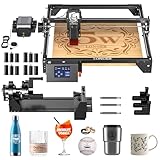
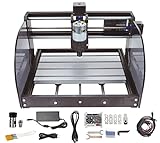
Our Top Picks


Quick Picks by Situation
- Best budget starter: SainSmart Genmitsu 3018-PROVer — small, forgiving, mostly pre-assembled
- Best all-around hobby machine: Carbide 3D Shapeoko 4 (or Shapeoko Pro) — strong upgrade path, proven community
- Best for plywood and furniture parts: Onefinity Foreman — 4×4-ish work area, stiff rail system
- Best mid-size value: FoxAlien Masuter Pro — larger than a 3018 without a large price jump
- Best wood-framed learning build: BobsCNC Evolution 4 — teaches you the most about how CNCs actually work
Spec Comparison: Work Area, Electronics, and Assembly
Work area matters more than spindle power for most woodworkers — a machine that can’t hold your project is a machine you’ll replace. Prices below are general 2026 market ranges; kits fluctuate with bundles and sales.
| Kit | Work Area (approx.) | Spindle | Electronics | Assembly Time | Price Range |
|---|---|---|---|---|---|
| SainSmart Genmitsu 3018-PROVer | 300 × 180 × 45 mm | 775 spindle motor (~120W) | GRBL board, pre-wired | 1–2 hours (mostly assembled) | Check on Amazon |
| FoxAlien Masuter Pro | 400 × 400 × 60 mm | 300W spindle | GRBL, offline controller included | 3–5 hours | Check on Amazon |
| BobsCNC Evolution 4 | 610 × 610 × 85 mm | Router sold separately (e.g., compact trim router) | GRBL, self-wired | 1–2 full days | Check on Amazon |
| Carbide 3D Shapeoko 4 XXL | 838 × 838 × 102 mm | 65mm router mount (router extra) | Carbide board + Carbide Motion software | 4–6 hours | Check on Amazon |
| Onefinity Foreman | ~1220 × 810 mm | Router/spindle extra (65mm or 80mm mounts) | Buildbotics-based controller, touch display | 4–8 hours | Check on Amazon |
What the Specs Don’t Tell You
Assembly difficulty varies more than advertised times suggest
The Genmitsu 3018-PROVer arrives with its gantry largely bolted together — realistic assembly is under two hours even for a first-timer. At the other end, the BobsCNC Evolution 4 is a genuine build: you assemble a laser-cut plywood frame, route wiring, and square everything yourself. Budget a weekend, and expect the squaring and tramming process to teach you more about CNC accuracy than any manual will.
The router or spindle is often not included
Factor that into your budget.
Frame material predicts rigidity
Aluminum extrusion frames (Genmitsu, Masuter, Shapeoko) resist flex during cuts in hardwood. The BobsCNC’s plywood frame is surprisingly capable in softwoods and MDF, but aggressive cuts in oak will show chatter marks. Onefinity uses hollow steel linear rails, which is why it handles full-sheet work without a torsion-box frame underneath — though a flat, level table is still mandatory.
Decision Matrix: Match the Kit to Your Workshop
| Your Situation | Recommended Kit | Why |
|---|---|---|
| Varies | Genmitsu 3018-PROVer | Cheapest real learning platform; mistakes cost little |
| Some experience, want 400mm+ cutting area without spending $1,500+ | FoxAlien Masuter Pro | Bigger envelope and stronger spindle per dollar than rivals |
| Long-term hobby, want upgrades not replacement | Shapeoko 4/Pro | Z-plus upgrades, spindle mounts, huge community support |
| Cabinet parts, signs, or furniture from plywood sheets | Onefinity Foreman | Full-sheet work area; stiff rails; minimal assembly for its size |
| Want to understand every component, enjoy the build itself | BobsCNC Evolution 4 | DIY cnc kit in the truest sense — you build the frame too |
A Realistic Total-Budget Calculation
The kit price is roughly 70% of what you’ll actually spend. Here’s a worked example for a Shapeoko 4 XXL setup:
Ownership Realities: What Wears and What Breaks
- The spoilboard is sacrificial — by design. You’ll surface it flat when you set up, then cut into it gradually. Replace it every 6–12 months of regular use.
- Dust is the biggest hidden problem. MDF dust is fine enough to foul lead screws and electronics. Budget for dust collection from day one, and vacuum the rails after every session.
- Common first mistakes: skipping the squaring/tramming step (produces tapered cuts), using the wrong feeds and speeds (burns wood, snaps bits), and securing stock poorly (ruined workpieces and worse).
Upgrade Paths Worth Paying For
The best diy cnc kit is one whose weakest parts can be replaced individually. On the Shapeoko platform, owners commonly upgrade to an HDZ or Z-plus axis and add a spindle later. Onefinity machines accept 80mm spindle mounts and laser modules. Budget 3018 machines have a ceiling — you can add a laser diode or an offline controller, but the frame and lead screws limit you to light work. Treat a 3018 as tuition: you’ll likely sell it or keep it for lasers once you move to a bigger machine.
Feeds and Speeds: A Worked Example
Every beginner hits the same wall: the kit assembles, the software connects, and then nobody explains how fast to move the bit. The basic relationship is simple. Feed rate equals spindle speed multiplied by the number of flutes multiplied by chip load, where chip load is the thickness of material each flute removes per revolution.
As an illustration only: a two-flute bit spinning at 16,000 RPM with a chip load of 0.003 in per tooth would feed at 16,000 x 2 x 0.003 = 96 in per minute. That figure is far beyond what many hobby frames can hold accurately, which is exactly why you start from the cutter maker’s chip-load chart and then reduce the feed until the machine stays quiet and the edges stay clean. Hobby machines usually do better with shallow passes and moderate feeds than with aggressive ones.
| Symptom | Likely cause | First adjustment |
|---|---|---|
| Burn marks on the edges | Feed too slow for the RPM, so the bit rubs | Raise feed or lower spindle speed |
| Fuzzy edges and chatter | Feed too fast, dull bit or too much stick-out | Slow the feed, shorten the bit, replace the cutter |
| Machine skips steps or loses position | Cut too deep or acceleration too high | Reduce depth per pass and lower acceleration |
| Rounded corners that should be square | Frame flex or loose belts and wheels | Check tension and slow down |
Your First Weekend With a New Kit
- Assemble in a clean area and keep every fastener sorted by size, since mixed-up screws are a common cause of frustration.
- Square the gantry to the frame and confirm each axis moves smoothly by hand before powering it on.
- Check the limits and emergency stop. Make sure the machine can stop quickly before it ever carries a spinning bit.
- Mount a flat sacrificial board and surface it flat with a wide bit so every later cut references the same plane.
- Run an air cut: execute a simple program with the bit raised above the material to confirm the direction and travel of each axis.
- Make a first cut in scrap pine or MDF with a sharp, well-sized bit and a modest depth per pass.
- Only then move to hardwood or full-size projects.
Workholding, Dust, and Safety
Workholding is the part kit specifications rarely mention. A bit that grabs an unclamped workpiece can throw it, so plan for clamps, screws into a spoilboard or double-sided tape on small parts. Dust is equally important: an enclosure or a dust shoe connected to a shop vacuum keeps fine particles out of the lungs and the rails. Wear eye and hearing protection, and never leave it running unattended.
Match the Work Area to Your Real Projects
A larger work area is not automatically better, because bigger frames flex more and take more floor space. Start from the parts you will actually make.
| Typical project | Approximate part size | What that means for the kit |
|---|---|---|
| Cutting boards, coasters, small signs | Under about 12 x 18 in | A small desktop machine can handle it |
| Cabinet doors, shelves, larger signs | About 24 x 30 in | Needs a mid-size machine with a rigid gantry |
| Furniture parts from plywood | Up to a half or full sheet | A full 4 x 8 ft sheet is 48 x 96 in, so plan for a large-format machine or cut the sheet into smaller panels first |
Controller and Software Checklist
Control Firmware
Many hobby controllers run GRBL or a derivative, which reads standard G-code. Confirm that the kit works with the software you plan to use and that firmware updates are supported. A kit that locks you into one proprietary sender can limit your options later.
CAM Software
Computer-aided manufacturing programs turn a drawing into toolpaths. Check that the one you prefer has a post-processor for your machine, or that the kit ships with its own sender. Free and paid options both exist, and the learning curve differs a lot between them.
Computer Requirements
Some senders need a Windows laptop connected by USB for the entire cut, while others run from a standalone controller or SD card. Decide whether a dedicated computer in the shop fits your setup, and keep it away from dust.
Safety Hardware
Confirm that the controller supports a physical emergency stop and limit switches, and that homing works reliably. If a kit leaves them out, treat them as part of the real purchase list instead of an optional upgrade.
Common Mistakes When Buying a CNC Kit
- Choosing by work area alone. A machine that nominally fits a sheet of plywood but flexes at the edges is a trap; frame rigidity and gantry design matter at least as much.
- Underestimating the software learning curve. Drawing, toolpath generation and sending the program are three separate skills; plan time for all of them.
- Settling for the lowest-spec router or spindle that fits. Runout and speed control affect surface finish and bit life.
- Forgetting consumables. Bits, clamps, a dust system and spoilboard material are ongoing needs.
- Skipping the workshop check. Noise, dust and floor space matter if the machine will live in a garage or shared room.
- Expecting aluminum capability from a wood-first machine. Confirm the manufacturer’s stated materials before planning metal work.
FAQ
Is a cnc diy kit hard to build with no electronics experience?
Not with modern kits. The Genmitsu and Shapeoko use plug-in connectors and pre-assembled boards — if you can build flat-pack furniture, you can assemble one. The BobsCNC requires more wiring confidence but includes thorough documentation.
Do I need a computer dedicated to the machine?
Onefinity’s controller is standalone with a touch display; Carbide Motion runs on any basic PC or Mac.
Can these machines cut hardwood?
Yes, within limits. Rigid aluminum-framed machines handle oak and maple with conservative feeds and shallow passes (1–2mm depth per pass). The plywood-framed BobsCNC prefers softwoods, MDF, and plywood.
What software do I need?
A CAD/CAM package: Carbide Create (free tier) for Shapeoko, Easel (browser-based), or Estlcam and Fusion 360 for GRBL machines. Software is a bigger learning curve than assembly — plan a few evenings for it.

0 Comments