Our Top Picks
 HARDELL 12V Cordless Rotary Tool Kit 6-Speed 30000RPMLarge10 x 1.9 x 2.7 Inches1.1 PoundsCheck on Amazon


What's inside
As an Amazon Associate I earn from qualifying purchases. This post may contain affiliate links at no extra cost to you.
Most people shopping for a cordless rotary tool for engraving compare the spec that matters least: maximum RPM. A 35,000 RPM tool looks stronger than a 25,000 RPM tool on the box, so it wins the cart. Then the first line you cut into a maple sign wanders, the bit chatters and skips out of the groove, and the letters come out looking like they were scratched with a nail.
That happens because engraving is not a cutting-power problem. It is a tip-position problem. You are steering a spinning point along a line at maybe a quarter inch per second, and the only thing that matters is whether that point stays exactly where your hand puts it. Speed does not help you steer. Weight, balance, low-speed control, and how tightly the tool grips the bit do.
As an Amazon Associate we earn from qualifying purchases at no extra cost to you.


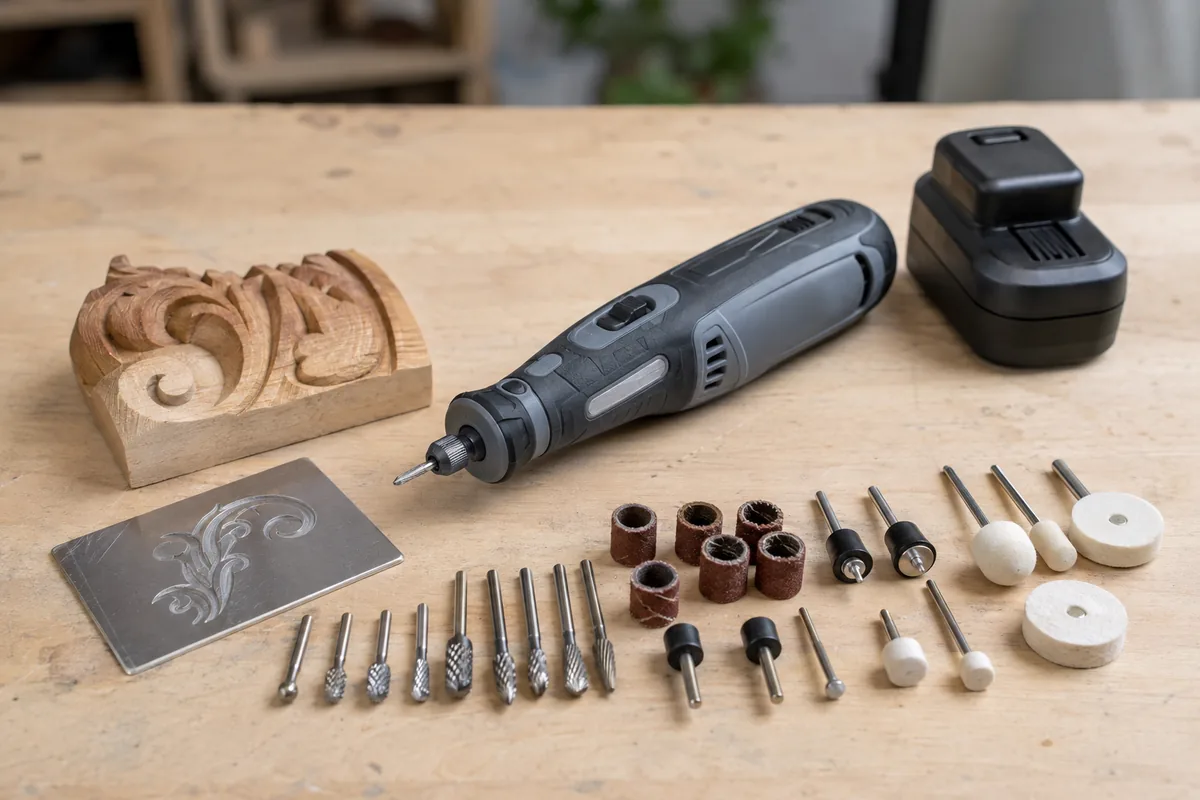
The misconception: more RPM equals better engraving
Here is the mechanism. A rotary tool bit removes material by scraping tiny chips with the cutting edges at its tip. At a fixed feed rate, higher RPM means each pass of the edge takes a smaller bite. Smaller bites give a smoother surface, which is why high speed genuinely helps for sanding, polishing, and cutoff wheels.
But engraving adds a second variable: side load. When you push a spinning burr sideways along a line, the bit wants to climb, and it wants to grab. Think of dragging a pen across corduroy versus across glass. On hardwood, the bit alternates between soft earlywood and dense latewood many times per inch, so the grab force changes constantly. At very high RPM, those grabs happen faster than your hand can react, and the tool skates. Drop the speed and the same grabs become slow enough to feel and resist.
So the real spec is not the top of the range. It is the bottom of the range, and whether the motor holds that low speed under load. A cordless tool that can run steadily at 5,000 to 8,000 RPM without stalling or surging is far more useful for lettering than one whose dial starts at 10,000. Brushless motors with electronic speed control matter here for a specific reason: they hold commanded speed as load rises, instead of bogging when the tip digs in and then lurching free.
The second misconception worth naming: people assume cordless means underpowered. For engraving that is irrelevant. Engraving loads are tiny, measured in fractions of an amp of motor draw. The cordless penalty shows up in cutoff work and heavy grinding, not in sign carving. What cordless actually costs you is weight at the tip and, on some designs, extra girth where your fingers grip.
Choosing a cordless rotary tool for engraving: what to actually compare
| Feature | Why it matters for engraving | What to look for | |
|---|---|---|---|
| Minimum speed | Low speed lets you feel and resist grab | Dial that starts near 5,000 RPM, not 10,000 | |
| Motor type | Brushless holds speed under side load | Brushless with electronic feedback if budget allows | |
| Bit grip | Runout wanders your line | Collet system over universal 3-jaw chuck | |
| Nose diameter | You steer with fingertips, not your palm | Slim nose you can pinch like a pencil | |
| Battery position | Rear weight is fine, tip weight is not | Inline stick shape, battery behind your hand | |
| Flex shaft support | Removes all tool weight from the tip | Threaded nose cap that accepts a flex shaft | |
| Runtime | Detail work is long and low-draw | 2.0Ah class is usually plenty | keep a spare |
Collets versus universal chucks
A collet is a tapered sleeve that squeezes evenly around the bit shank as the nut tightens. A universal chuck grips with three moving jaws instead, which is convenient because one chuck takes many shank sizes without swapping parts. The tradeoff is concentricity. Three jaws that each wear slightly differently will hold the bit a few thousandths off center, and that offset becomes a visible wobble at the tip.
For a 1/8 inch sanding drum, nobody notices. For a 1/32 inch engraving cutter, that wobble is a large fraction of the cut width, and your line gets a fuzzy, doubled edge. Buy the collet set, keep the chuck for abrasives, and match the collet to the shank rather than forcing a 1/8 inch collet to hold a 3/32 inch bit.
Cordless rotary tool with variable speed and collet set
For engraving, prioritize listings that state a low end of the speed range and include real collets rather than only a keyless chuck. Corded-tool ecosystems like Dremel have the deepest accessory support, but Milwaukee, DeWalt, and Makita cordless rotary tools are worth a look if you already own batteries on that platform, since you skip buying another charger.
Why a flex shaft changes the math
A flex shaft is a cable inside a sheath that transmits rotation from the tool to a slim handpiece. The tool hangs from a hook or sits on the bench, and you hold something roughly the size of a fat marker.
The reason this matters is leverage. Your hand controls the tip through a lever arm that runs from your fingers to the bit. A full-size cordless rotary tool with a battery on the back can weigh a pound and a half or more, and that mass sits several inches behind your grip. Every small tremor gets amplified into tip movement, and your forearm fatigues from holding the mass steady rather than from steering. A flex shaft handpiece removes almost all of that. It is the difference between writing with a pencil and writing with a pencil taped to a hammer.
Two practical notes. Keep the shaft in a wide, lazy curve, because tight bends heat the cable and eat power. And check that the tool’s nose cap actually unscrews to a standard thread before buying a shaft, since some cordless housings are not designed to accept one.
- ✔ Low-speed control is what keeps letters crisp
- ✔ Cordless removes cord drag, which is a real source of line wander
- ✔ Flex shaft attachment turns a bulky tool into a pencil-sized one
- ✔ Battery platforms you already own cut the entry cost
- ✘ Battery adds weight right behind your grip
- ✘ Cheaper cordless models often start at too high an RPM
- ✘ Universal chucks introduce runout that shows at small bit sizes
- ✘ Long detail sessions mean you will want a second battery
Bits, materials, and technique that fix bad lines
Bit shape determines what the tip does when it drifts. A tapered or conical carbide engraving cutter self-centers in the groove it has already made, which helps a wandering hand. A ball-nose burr cuts in every direction equally, which is great for freehand shading and terrible for straight lines. Diamond-coated points do not cut wood well because they load up with fibers instantly, but they are the correct choice on glass, ceramic, and stone.
On wood, work with the grain where you can and take two shallow passes instead of one deep one. The first pass scores a track; the second pass rides in it and cuts clean. On metal and glass, slow down further and let the abrasive do the work, since pressing harder just skips the tip and chips the surface.
Support the tool, not just the workpiece. Rest the heel of your hand or the tool’s nose collar on the surface so the tip has a fixed reference. Freehanding in midair is the single most common reason engraved lettering looks shaky.
Carbide engraving bits and collet assortment
If your current lines look rough, a set of sharp carbide tapered cutters plus the correct collet usually fixes more than a new tool does. Look for solid carbide rather than coated steel for wood work, and buy assortments that list shank sizes clearly so you know which collets you need.
Frequently asked questions
Is a cordless rotary tool powerful enough for engraving hardwood? Yes. Engraving removes very little material, so the motor is never the limit. Sharp carbide bits and a low, steady speed matter far more than watts or amp-hours. Cordless power becomes a real constraint only with cutoff wheels and sustained grinding.
What speed should I use for engraving wood? Start in the lower third of your tool’s range and adjust by feel. If the bit burns and darkens the cut, you are moving too slowly for the speed you chose. If it skips out of the line or chatters, drop the speed. Denser hardwoods and small-diameter bits generally want less speed than softwoods and large burrs.
Do I need a flex shaft, or is a compact cordless tool enough? A slim compact tool you can pinch like a pencil is often enough for names, dates, and short lines. If you plan on detailed portraits, long inscriptions, or sessions over half an hour, a flex shaft will improve your results more than any spec upgrade will.
Buy for the low end of the speed range, insist on real collets, and add a flex shaft when your projects get detailed. That order of priorities produces cleaner lettering than chasing peak RPM ever will.
Check prices on Amazon →
0 Comments