What's inside
- Best M.2 SSDs Under $100 at a Glance
- Our Picks by Situation
- Lexar NM790: Best for Sustained Budget Performance
- TeamGroup MP44: Best Value for a Fast 1TB Upgrade
- WD_BLACK SN770: The Safest All-Round Recommendation
- Crucial P3 Plus 2TB: Best Capacity per Dollar
- Samsung 990 EVO: Best for Newer Hybrid Platforms
- Temperatures, Endurance, and Warranty Value
- How Much Capacity Do You Actually Get?
- Installation Checks Before You Buy
- Final Verdict
- Best M.2 SSDs Under $100 at a Glance
- Our Picks by Situation
- Lexar NM790: Best for Sustained Budget Performance
- TeamGroup MP44: Best Value for a Fast 1TB Upgrade
- WD_BLACK SN770: The Safest All-Round Recommendation
- Crucial P3 Plus 2TB: Best Capacity per Dollar
- Samsung 990 EVO: Best for Newer Hybrid Platforms
- Temperatures, Endurance, and Warranty Value
- How Much Capacity Do You Actually Get?
- Installation Checks Before You Buy
- Final Verdict
As an Amazon Associate I earn from qualifying purchases. This post may contain affiliate links at no extra cost to you.
The best M.2 SSDs under $100 are usually the 1TB Lexar NM790 or TeamGroup MP44 for maximum usable space and sustained performance, while the WD_BLACK SN770 is the safer all-round choice for compatibility, gaming, and long-term support.
As an Amazon Associate we earn from qualifying purchases at no extra cost to you.


Our Top Picks

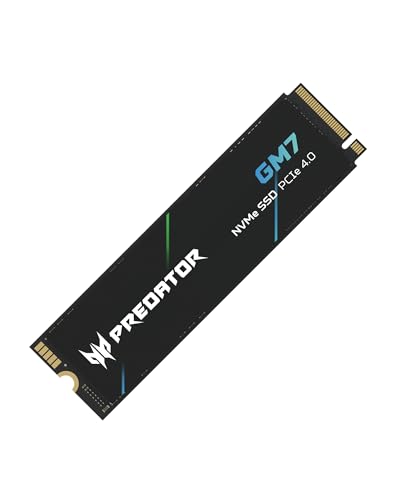


Best M.2 SSDs Under $100 at a Glance
Prices change frequently, but 1TB PCIe 4.0 drives commonly fall between roughly $55 and $95, depending on sales and whether the model includes a heatsink. The figures below describe typical retail versions and manufacturer-rated specifications; formatted capacity will be lower than the advertised capacity because of file-system overhead and reserved flash.
| SSD | Usable capacity, approximately | Interface | Sequential read/write | NAND and cache design | Warranty | Typical price range |
|---|---|---|---|---|---|---|
| Lexar NM790 1TB | 931GB | PCIe 4.0 x4 | 7,400 / 6,500MB/s | TLC, DRAM-less with host-memory buffer | 5 years or endurance limit | $60–$85 |
| TeamGroup MP44 1TB | 931GB | PCIe 4.0 x4 | 7,400 / 6,100MB/s | TLC, DRAM-less with host-memory buffer | 5 years or endurance limit | $55–$80 |
| WD_BLACK SN770 1TB | 931GB | PCIe 4.0 x4 | 5,150 / 4,900MB/s | TLC, DRAM-less with host-memory buffer | 5 years or endurance limit | $60–$90 |
| Crucial P3 Plus 2TB | 1.81TB | PCIe 4.0 x4 | 4,800 / 4,100MB/s | QLC, DRAM-less with host-memory buffer | 5 years or endurance limit | $85–$100 |
| Samsung 990 EVO 1TB | 931GB | PCIe 4.0 x4 or PCIe 5.0 x2 | 5,000 / 4,200MB/s | TLC, DRAM-less with host-memory buffer | 5 years or endurance limit | $70–$100 |
Our Picks by Situation
| Your situation | Best fit | Why | Main compromise |
|---|---|---|---|
| General desktop or gaming upgrade | WD_BLACK SN770 | Consistent everyday behavior, strong compatibility, and a useful five-year warranty | Lower peak benchmark speeds than newer high-end PCIe 4.0 drives |
| Large game library or media storage | Crucial P3 Plus 2TB | Approximately 1.81TB formatted capacity for around the price of many 1TB drives | QLC flash slows more noticeably during very large sustained writes |
| Frequent file transfers or content creation | Lexar NM790 1TB | TLC flash and high sequential write performance provide better sustained behavior | Needs airflow or a motherboard heatsink under prolonged workloads |
| PCIe 5.0 laptop or compact PC | Samsung 990 EVO | Its PCIe 5.0 x2 support can fit newer platforms while remaining backward-compatible with PCIe 4.0 | It is not a full four-lane PCIe 5.0 drive |
| Lowest sensible price for a fast 1TB drive | TeamGroup MP44 | High-rated PCIe 4.0 throughput and TLC storage at a budget price | DRAM-less design is less ideal for unusually heavy, continuous workloads |
Lexar NM790: Best for Sustained Budget Performance
The Lexar NM790 is one of the strongest choices when “under $100” means more than short benchmark bursts. Its 1TB version uses TLC NAND and is rated for up to 7,400MB/s reads and 6,500MB/s writes. TLC generally handles repeated writes better than QLC at this price, although actual performance depends on the amount of free space and the size of the drive’s dynamic cache.
It is a single-sided M.2 2280 drive, which helps with many laptop installations. At about 6.2g, it is also light enough for portable systems. For a desktop, install it beneath the motherboard’s M.2 heatsink if available. During long transfers, a high-performance PCIe 4.0 SSD can become much warmer than it does during gaming or office work.
TeamGroup MP44: Best Value for a Fast 1TB Upgrade
The MP44 offers the same basic value proposition as the NM790: TLC flash, PCIe 4.0 x4 connectivity, no separate DRAM chip, and very high sequential specifications for the money. Its rated 1TB performance reaches 7,400MB/s read and 6,100MB/s write.
The absence of onboard DRAM is not automatically a problem. The drive can use a portion of system memory through host-memory-buffer technology, and game loading, application startup, and normal file work can still be quick. The limitation appears more clearly when the drive is nearly full or when a very large write exceeds its fast cache. Leave at least 10–15% free for better background management.
WD_BLACK SN770: The Safest All-Round Recommendation
The SN770 is not the fastest drive in this comparison, but its 5,150MB/s read and 4,900MB/s write ratings are already more than sufficient for most gaming PCs and everyday workstations. It is available in several capacities, uses TLC NAND, and has a five-year limited warranty with a model-specific endurance limit.
This is the pick for buyers who value predictable compatibility over the highest number on a benchmark chart. It works well as an operating-system drive, game drive, or general upgrade in a PCIe 4.0 desktop. On a PCIe 3.0 system it will still function, but the interface will cap peak throughput near PCIe 3.0 levels.
Crucial P3 Plus 2TB: Best Capacity per Dollar
The P3 Plus makes a different trade-off. Its 2TB version provides about 1.81TB after formatting, while many competing drives under $100 offer only 1TB. That additional space can be more valuable than higher peak speed when the drive will hold games, photographs, project files, or a large application library.
It uses QLC NAND, which stores four bits per flash cell. QLC is efficient and affordable, but sustained writes can drop substantially after the dynamic cache is exhausted. A practical example: copying a 150GB video archive may begin near the advertised rate, then slow considerably as the cache fills. For occasional transfers this is acceptable; for daily workstation scratch work, choose a TLC drive instead.
Samsung 990 EVO: Best for Newer Hybrid Platforms
The 990 EVO is unusual because it can operate over PCIe 4.0 x4 or PCIe 5.0 x2, depending on the host platform. Its rated speeds of up to 5,000MB/s read and 4,200MB/s write are not class-leading, but its interface flexibility can make it a sensible choice for a newer laptop or compact PC that supports PCIe 5.0 lanes differently from a conventional desktop.
Do not buy it solely because the box says PCIe 5.0. A PCIe 5.0 x2 connection does not provide the same theoretical bandwidth as PCIe 5.0 x4. In a normal PCIe 4.0 system, its behavior is still broadly in the fast mainstream category.
Temperatures, Endurance, and Warranty Value
NVMe drives commonly idle around 30–45°C in a reasonably ventilated desktop and may reach roughly 60–75°C during long transfers. Laptops and cramped mini PCs can run hotter. Thermal throttling is not instant failure, but it reduces speed to protect the controller. A motherboard heatsink, a thin laptop thermal pad, and unobstructed airflow usually matter more than buying a drive with a slightly higher peak specification.
Warranty length is broadly similar among these models, so endurance and flash type deserve attention. A 1TB TLC drive often has a higher terabytes-written rating than a similarly sized QLC model, though the exact limit varies by capacity. For an operating-system and game drive, either can last for years. For constant video caching, virtual machines, database work, or repeated disk imaging, TLC is the better ownership value.
How Much Capacity Do You Actually Get?
Manufacturers label storage in decimal units: 1TB means 1,000,000,000,000 bytes. After conversion and formatting, a 1TB SSD normally shows about 931GB in the operating system. A 2TB model shows roughly 1.81TB. Reserve additional space for updates and performance; a 1TB drive holding 900GB is technically usable but leaves little room for the controller to reorganize data efficiently.
For a simple value calculation, compare formatted capacity rather than the label. A $75 1TB drive costs about 8.1 cents per formatted gigabyte. A $95 2TB drive costs about 5.2 cents per formatted gigabyte. The cheaper 2TB option can therefore be the better purchase even if it has lower sustained write performance.
Installation Checks Before You Buy
- Confirm that the computer accepts an M.2 2280 NVMe drive, not only an M.2 SATA drive.
- Check whether the M.2 slot supports PCIe 4.0 or only PCIe 3.0. A faster drive will work in a slower slot, but it will not reach its advertised peak.
- Measure laptop clearance if the drive has a built-in heatsink. Desktop motherboard heatsinks are usually preferable to a second heatsink attached to the SSD.
- Back up the old drive before cloning. A clone is a migration method, not a backup.
- Update motherboard firmware and SSD management software only when needed, and avoid interrupting firmware updates.
- After installation, check that the drive is running in NVMe mode and leave 10–15% free space.
Final Verdict
Choose the Lexar NM790 or TeamGroup MP44 when sustained TLC performance is the priority. Choose the WD_BLACK SN770 for a dependable general-purpose 1TB upgrade. Choose the Crucial P3 Plus 2TB when capacity matters most and large write jobs are occasional. The Samsung 990 EVO is the specialist option for systems whose PCIe 5.0 x2 support makes its flexible interface useful. In every case, confirm the sale price, formatted capacity, laptop clearance, and warranty terms before ordering.




0 Comments