What's inside
As an Amazon Associate I earn from qualifying purchases. This post may contain affiliate links at no extra cost to you.
The best M.2 SSDs under $100 in 2026 are the 1TB WD Black SN770 for dependable everyday value, the Lexar NM790 for high sustained performance, and the Crucial P3 Plus when the lowest price matters more than heavy-write endurance.
As an Amazon Associate we earn from qualifying purchases at no extra cost to you.


Our Top Picks

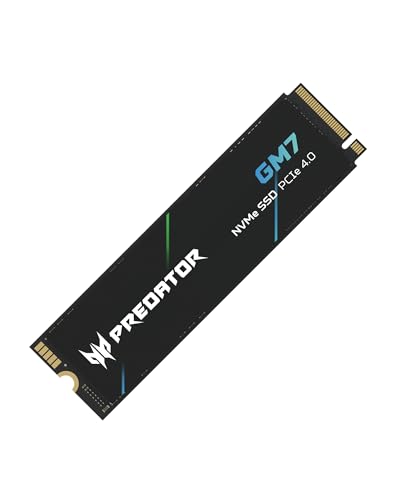


Best M.2 SSDs Under $100: Quick Recommendations
| SSD | Interface | Typical 1TB market range | Sequential read/write | Endurance | Warranty | Best for |
|---|---|---|---|---|---|---|
| WD Black SN770 1TB | PCIe 4.0 x4 | $55–$75 | 5,150 / 4,900 MB/s | 600 TBW | 5 years | Balanced everyday use |
| Lexar NM790 1TB | PCIe 4.0 x4 | $65–$90 | 7,400 / 6,500 MB/s | 1,000 TBW | 5 years | Large transfers and frequent writes |
| Samsung 990 EVO Plus 1TB | PCIe 4.0 x4 or PCIe 5.0 x2 | $70–$95 | 7,250 / 6,300 MB/s | 600 TBW | 5 years | Newer systems with flexible compatibility |
| Kingston KC3000 1TB | PCIe 4.0 x4 | $65–$90 | 7,000 / 6,000 MB/s | 800 TBW | 5 years | High-write workloads |
| Crucial P3 Plus 1TB | PCIe 4.0 x4 | $45–$65 | 5,000 / 4,200 MB/s | 220 TBW | 5 years | Low-cost storage and game libraries |
Advertised speeds are maximum sequential figures under ideal conditions. They are useful for comparing controllers and interfaces, but they do not describe every transfer. Random access, queue depth, thermal throttling, free space, and the source drive can matter more during normal desktop work.
Which Drive Should You Buy?
Best overall: WD Black SN770
The WD Black SN770 is the safest general recommendation when it is comfortably below $100. Its PCIe 4.0 performance is more than sufficient for operating systems, applications, games, photo libraries, and project files. It uses TLC NAND and relies on host memory rather than a dedicated DRAM cache, which helps keep the price down.
Its 600 TBW rating means the 1TB model is specified for 600 terabytes written during its five-year limited warranty period. That is ample for most home and office computers. It is less attractive for constant scratch-disk use, such as repeatedly rendering and rewriting very large video or virtual-machine files.
Best for sustained transfers: Lexar NM790
The Lexar NM790 is the strongest performance choice when its price remains under $100. With advertised sequential speeds of up to 7,400 MB/s read and 6,500 MB/s write, it can shorten large file copies on a capable PCIe 4.0 system. Its 1,000 TBW rating also gives it a substantial endurance advantage over many budget drives.
Do not expect a 7,400 MB/s copy for an entire multi-hundred-gigabyte transfer. Consumer SSDs first use a fast pseudo-SLC cache. Once that cache fills, write speed can fall substantially, depending on free capacity and temperature. It is still a compelling choice for frequent large writes, but performance after the cache is exhausted is the figure to investigate if sustained work is your priority.
Best for a newer motherboard: Samsung 990 EVO Plus
The Samsung 990 EVO Plus supports PCIe 4.0 x4 and PCIe 5.0 x2 connections, making it flexible across newer platforms. Its rated 7,250 MB/s read and 6,300 MB/s write speeds place it near the top of this price class.
PCIe 5.0 support does not automatically make it faster than a PCIe 4.0 x4 drive. A two-lane PCIe 5.0 connection provides a similar theoretical bandwidth to a four-lane PCIe 4.0 connection. Check the motherboard manual: an M.2 slot may share lanes with a graphics slot or disable another connector.
Best for heavy writing: Kingston KC3000
The Kingston KC3000 combines a dedicated DRAM cache, TLC NAND, and an 800 TBW rating on the 1TB model. Its 7,000 / 6,000 MB/s sequential ratings are still competitive, while the DRAM-equipped design can be advantageous for demanding workloads involving many files or repeated writes.
The trade-off is heat. The KC3000 uses a thin graphene-aluminum heat spreader, but it still benefits from a motherboard M.2 heatsink with a correctly positioned thermal pad. Avoid installing a second heatsink on top of the factory label unless the manufacturer permits it.
Best cheap option: Crucial P3 Plus
The Crucial P3 Plus is a sensible budget drive for a secondary game library, media collection, or general storage when the 1TB model is near $50. It reaches up to 5,000 MB/s read and 4,200 MB/s write, which is far ahead of SATA SSD throughput in sequential benchmarks.
Its limitation is QLC NAND and a comparatively low 220 TBW endurance rating. QLC stores more bits per cell, reducing cost and increasing capacity efficiency, but sustained writes can slow sharply after the dynamic cache fills. Choose it for read-heavy use rather than as a working disk for constant exports, scratch files, or large backups.
PCIe Generation: What Actually Changes?
- PCIe 3.0: A four-lane drive typically tops out around 3,000–3,500 MB/s. It remains adequate for normal computing and is often the right choice for an older laptop.
- PCIe 4.0: Four lanes can support roughly 7,000–7,500 MB/s with current consumer drives. This is the best value point for most systems in 2026.
- PCIe 5.0: Four-lane models can exceed 10,000 MB/s, but they generally cost more and produce more heat. Under $100, a PCIe 4.0 drive is usually the more balanced purchase.
A PCIe 4.0 SSD works in a PCIe 3.0 slot, but it runs at PCIe 3.0 speeds. Likewise, installing a PCIe 3.0 SSD in a PCIe 4.0 slot does not upgrade the older drive. Confirm both the physical M.2 2280 size and the slot’s supported protocol before buying.
Usable Capacity and Price per Terabyte
SSD manufacturers label capacity in decimal units: 1TB equals 1,000,000,000,000 bytes. Operating systems commonly display that capacity using binary units, so a new 1TB drive appears as roughly 931 GiB before formatting and reserved space. A 2TB model appears as roughly 1,862 GiB.
| Drive size | Approximate operating-system capacity | Example purchase price | Price per advertised TB |
|---|---|---|---|
| 1TB | About 931 GiB | $60 | $60/TB |
| 2TB | About 1,862 GiB | $105 | $52.50/TB |
| 4TB | About 3,725 GiB | $220 | $55/TB |
That calculation explains why a 2TB drive can be the better value even when it slightly exceeds a $100 target. If you need more than about 700GB of working space, the extra capacity also preserves free area for background maintenance and reduces the chance of performance loss as the drive fills.
Heatsink Clearance and Installation Details
Most of these drives are single-sided M.2 2280 devices: 22mm wide and 80mm long. The bare drive is usually about 2.2mm thick, while a motherboard heatsink adds several millimeters. Check three clearances before installation:
- Whether the motherboard’s thermal pad contacts the controller and NAND rather than stopping short.
- Whether a graphics card, laptop bottom cover, or CPU cooler blocks the M.2 position.
- Whether the drive’s included label or heat spreader makes the assembly too thick for the slot cover.
Install the SSD at a shallow angle, secure it with the proper standoff, and remove only the protective film from a thermal pad. Do not peel off the SSD’s manufacturer label unless the documentation specifically permits it. On desktop systems, a motherboard heatsink is most useful for PCIe 4.0 drives during long transfers; ordinary browsing and application launches rarely sustain enough load for maximum temperatures.
Decision Matrix
| Your situation | Recommended choice | Reason |
|---|---|---|
| Lowest upfront cost | Crucial P3 Plus | Good sequential speed at a low price, with modest endurance |
| First SSD upgrade | WD Black SN770 | Balanced TLC storage, speed, warranty, and endurance |
| Frequent large file transfers | Lexar NM790 | High rated speed and 1,000 TBW endurance |
| New PCIe 5.0-capable motherboard | Samsung 990 EVO Plus | Supports PCIe 4.0 x4 or PCIe 5.0 x2 |
| High write volume over several years | Kingston KC3000 | DRAM cache, TLC NAND, and 800 TBW rating |
Durability and Ownership Realities
TBW is a warranty endurance limit, not a countdown timer. A 600 TBW rating does not mean the drive fails at 600TB, and a lower-rated drive may run reliably for years in light use. However, write endurance, thermals, and free space all matter more when a drive is used as a scratch disk.
Keep at least 10–15% free when possible, update firmware through the manufacturer’s utility when a relevant stability fix is released, and maintain a separate backup. SSDs are not backups: accidental deletion, controller failure, malware, and electrical faults can affect the original and any always-connected copy. For a workstation that writes large files daily, select a TLC model with a higher TBW rating rather than choosing solely by peak read speed.
Final Verdict
For most buyers searching for the best M.2 SSDs under $100, choose the WD Black SN770 1TB when it is priced around $55–$75. Pick the Lexar NM790 1TB for the best combination of high throughput and endurance, the Kingston KC3000 for write-heavy work, or the Crucial P3 Plus for inexpensive read-heavy storage. Before checkout, verify the slot generation, 2280 clearance, heatsink fit, and the current price per usable terabyte—not just the number printed on the box.




0 Comments