Our Top Picks
 KAIFNT K504 Heavy Duty Manual Impact Driver Set5/16" Hex, 3/8", 1/2" Drive10.8 x 16.34 x 3.15 inches2.8 poundsCheck on Amazon
 JIXINLAR 1/2" Hand Manual Reversible Impact Driver Set1/2 Short7.8 x 2.5 x 2 inches2.3 poundsCheck on Amazon
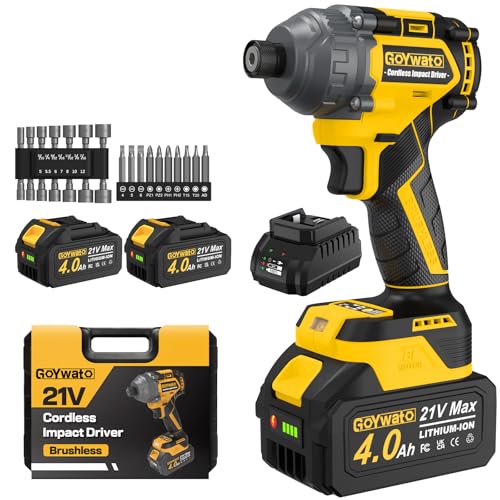 GoYwato 2655In-lbs 21V Brushless 1/4" Cordless Impact Driverstandard7.87 x 5.12 x 2.83 inches3.62 poundsCheck on Amazon


What's inside
- How An Impact Driver Actually Works (And Why That Matters)
- The Misconception: “It Clicks, So The Impact Mechanism Is Fine”
- Impact Driver Not Spinning: The Five Real Causes, In Order Of Likelihood
- Step By Step Diagnosis You Can Do On The Bench
- Repair, Warranty, Or Replace?
- Habits That Prevent This In The First Place
- Frequently Asked Questions
- Related Guides
- How An Impact Driver Actually Works (And Why That Matters)
- The Misconception: “It Clicks, So The Impact Mechanism Is Fine”
- Impact Driver Not Spinning: The Five Real Causes, In Order Of Likelihood
- Step By Step Diagnosis You Can Do On The Bench
- Repair, Warranty, Or Replace?
- Habits That Prevent This In The First Place
- Frequently Asked Questions
- Related Guides
As an Amazon Associate I earn from qualifying purchases. This post may contain affiliate links at no extra cost to you.
You pull the trigger and get a hum, a click, or dead silence. The light comes on, the battery says it is charged, and the bit sits there refusing to turn. An impact driver not spinning is one of the most common cordless tool complaints, and the frustrating part is that the tool often looks completely fine from the outside. Nothing is smoking, nothing rattles, and the trigger has that familiar spring in it.
Here is the thing that trips people up: an impact driver is not just a drill with a different chuck. It has two separate mechanical systems inside, and either one can fail while the other keeps working. Understanding that split is what turns a mystery into a five minute diagnosis. Let’s walk through how the tool actually moves a screw, then use that to sort the possible causes from most to least likely.
As an Amazon Associate we earn from qualifying purchases at no extra cost to you.




How An Impact Driver Actually Works (And Why That Matters)
Think of a regular drill as a bicycle. You pedal, the chain turns the wheel, and that is the whole story. One power path, motor to chuck.
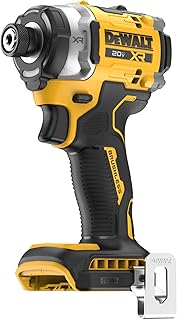
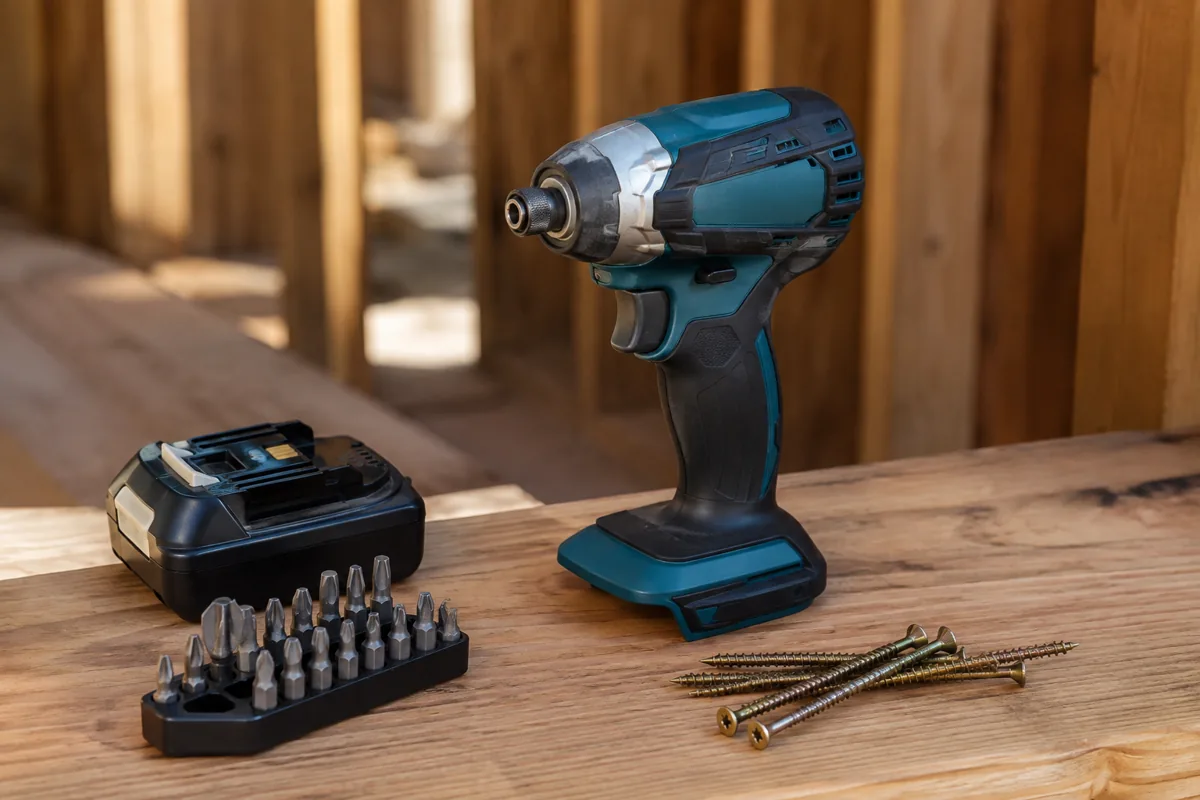
An impact driver is more like a bicycle with a hammer bolted to the crank. The motor spins a shaft, and that shaft drives an anvil (the part your bit socket lives in) through a spring loaded cam and hammer assembly. When resistance is low, the hammer stays engaged and the anvil just spins, exactly like a drill. When resistance climbs past a threshold, the hammer gets kicked backward up a set of ramped grooves, the spring slams it forward again, and you get that machine gun rattle. Each hit is a short, violent burst of rotational torque.
So there are two things that can be broken. Either the motor is not turning the shaft (electrical or motor failure), or the shaft is turning but the anvil is not receiving it (mechanical failure in the hammer and cam assembly). The sound your tool makes tells you which side you are on, and that is the single most useful piece of diagnostic information you have.
Quick sound guide before we go deeper:
| What You Hear | Most Likely Side | First Thing To Check |
|---|---|---|
| Total silence, no light | Electrical | Battery contacts and pack condition |
| Light works, no sound at all | Electrical | Trigger switch or brush contact |
| Motor hums or whines, bit still | Mechanical | Hammer, cam, and anvil assembly |
| Rapid clicking with no rotation | Mechanical | Stripped anvil grooves or broken spring |
| Grinding, then nothing | Mechanical | Gear reduction stage |
The Misconception: “It Clicks, So The Impact Mechanism Is Fine”
This is the belief that sends the most tools to the trash prematurely. People hear that familiar rat-a-tat-tat, assume the impact system is doing its job, and conclude the problem must be electrical or the bit must be slipping.
It is backward. That clicking is the hammer smacking the anvil, yes, but on a healthy tool the anvil rotates a few degrees with every single hit. If you are getting the sound and the bit is not advancing at all, the hammer is hitting and then sliding off. The ramped grooves on the anvil have rounded over, or the spring behind the hammer has lost tension, or the ball bearings that ride those ramps have worn flat spots. The noise is a symptom of the failure, not proof that things are working.
Easy way to confirm it: pull the bit, clamp the anvil lightly in a padded vise or grab it with a gloved hand (tool off, battery out first), and look at the square drive and the visible grooves. Then reinstall the battery, hold the tool so the anvil is visible, and pulse the trigger with zero load. With no resistance at all, a healthy tool spins freely and silently. If it clicks under no load whatsoever, the mechanism is worn out, not the electronics.
Impact Driver Not Spinning: The Five Real Causes, In Order Of Likelihood
1. The battery is charged but tired. This is number one by a wide margin. Lithium ion packs lose their ability to deliver current long before they lose their ability to hold a charge. The fuel gauge reads three bars, the tool lights up, and then the pack sags under load and the protection circuit cuts power. Symptom: the tool works for half a second, stutters, or refuses to start under any resistance but spins fine in the air. Test it by swapping in a known good pack. If you only own one battery, that is your first purchase, not a new tool.
2. Dirty or damaged battery terminals. Sawdust, fine metal shavings, and dried resin build up on the contact rails. On a jobsite you also get corrosion. The tool may light up because the low current signal path is fine while the high current path is compromised. Blow out the tool and pack terminals with compressed air, then clean the contacts with a dry brush or contact cleaner. Never use sandpaper on plated contacts.
3. Worn carbon brushes (brushed tools only). If your driver is brushed, the brushes are consumables. As they wear down, contact becomes intermittent. Classic symptom: the tool works if you smack it, or works in one direction but not the other, or works after you let it sit. Brushes are cheap and often user replaceable through small caps on the motor housing.
4. Failed forward/reverse selector or trigger switch. The selector shuttle can park in a dead center position, or wear out and stop making contact. Try firmly clicking it fully into forward, then fully into reverse. If one direction works and the other does not, you have found your culprit. Trigger switches fail the same way, usually after they get packed with dust.
5. Internal mechanical failure. Stripped anvil, broken hammer spring, sheared gear teeth, or a burnt out motor. This is the least common on a tool that has been treated reasonably, and the most common on a tool that has been used as a mini impact wrench on lug nuts for two years.
Replacement Batteries for Cordless Impact Drivers
Before you spend money on a new tool, buy a fresh battery from your platform. A degraded pack imitates almost every electrical failure on this list, and a second pack is useful even if it turns out not to be your problem. Stick to genuine packs from the brand that made your tool. Third party cells are cheaper up front but the protection circuits and current delivery are inconsistent, and a bad pack can take your tool with it.
Step By Step Diagnosis You Can Do On The Bench
Work through this in order. Battery out of the tool for anything involving hands near the chuck.
Step one, isolate the battery. Charge a different pack fully and try it. Also try your suspect pack in a different tool on the same platform. Two tests, and between them you have either confirmed or eliminated the most likely cause.
Step two, inspect the contacts. Look into the battery foot of the tool with a flashlight. You are looking for packed sawdust, bent rails, burn marks, or discoloration. Burn marks mean arcing, which means the connection has been intermittent for a while.
Step three, exercise the controls. Click the direction selector back and forth ten times, hard. Pull the trigger through its full travel repeatedly. Dust in a switch sometimes clears itself. If behavior changes at all during this, the switch or selector is your problem.
Step four, test with no load and full load. No load spins freely means the motor and drivetrain are alive. Then drive a long screw into scrap. If it spins in air and dies the instant it meets wood, you are looking at current delivery, which points back to the battery or contacts.
Step five, listen for the split. Motor noise with no bit rotation means the anvil is disconnected from the motor. That is a teardown or a warranty claim, not a cleaning job.
Repair, Warranty, Or Replace?
The honest calculus depends on what you own. Flagship brushless drivers in the DeWalt XR, Milwaukee FUEL, and Makita LXT lines carry meaningful warranties and have real service center networks, which makes a warranty claim worth the paperwork. Budget and off brand drivers frequently cost less than a service bench fee plus parts, and replacement gearcases are often unavailable.
The other factor is the failure type. Batteries, contacts, brushes, and switches are all inexpensive and shallow repairs. Anything past the gearcase means splitting the tool, dealing with staked pins and shimmed bearings, and reassembling a spring loaded hammer assembly that really does not want to go back together. That is a satisfying afternoon if you enjoy it and a wasted Saturday if you do not.
- ✔ Battery, contact, brush, and switch repairs are cheap and beginner friendly
- ✔ Symptom pattern reliably narrows the cause without special tools
- ✔ Major brands have real warranty coverage and parts availability
- ✘ Gearcase and hammer assembly repairs need a teardown and patience
- ✘ Parts for budget and discontinued models are often unobtainable
- ✘ A degraded battery can mimic almost every other failure, which sends people chasing ghosts
Brushless Impact Drivers for Shop and Jobsite Use
If your driver is out of warranty and the failure is internal, a brushless replacement is usually the smarter spend. No brushes means one entire failure category disappears, and the electronic control gives you better low speed behavior for delicate fasteners. Buy into whatever battery platform you already own if you can. The platform matters more over five years than any single tool in it.
Habits That Prevent This In The First Place
Most premature impact driver deaths come from using the tool outside its design intent. The hammer and anvil are built for fastener sized torque bursts, not for breaking loose seized bolts. If you are removing lug nuts or rusted hardware, use an impact wrench with a proper square drive. The hex anvil in a driver is the weak link, and it will round over.
Beyond that: store packs at partial charge rather than dead, keep them out of a freezing truck bed overnight and out of direct summer sun, blow the tool out with air when you finish a dusty job, and use impact rated bits. Standard bits shatter under impact loads and the fragments do not do the anvil any favors. Let the tool run at full trigger for driving rather than feathering it, since partial trigger on a brushed tool generates heat without cooling airflow.
Frequently Asked Questions
Why does my impact driver click but not turn the screw? The hammer is striking the anvil but the anvil is not indexing forward. Usually that means worn ramped grooves, a weak hammer spring, or flat spotted ball bearings in the cam assembly. Confirm it by running the tool with no bit and no load. A healthy driver spins silently with zero resistance, so clicking under no load points at internal wear rather than an electrical issue.
Can a fully charged battery still cause an impact driver not to spin? Yes, and this is the most common single cause. Lithium ion cells develop internal resistance as they age, so a pack can hold voltage at rest, show full bars, and still sag below the cutoff threshold the moment the motor draws current. The tool lights up, then does nothing under load. Swap in a known good pack before you diagnose anything else.
Is it worth repairing an impact driver myself? For batteries, contacts, brushes, and switches, absolutely. Those are inexpensive parts and shallow disassembly. For anything inside the gearcase, weigh the cost of parts and your time against a replacement, and check your warranty first. Major brand tools often have coverage that makes the decision for you.
Diagnose the sound first, then the battery, then the contacts and switches, and only then reach for the screwdrivers. Working in that order means you find the cheap fixes before you commit to a teardown, and in most shops the cheap fix is the actual fix.
Check prices on Amazon →
0 Comments